Voice Typing vs Normal Typing – Which Is Faster and Better on Mobile?
Typing on a smartphone has become part of everyday life. We use mobile keyboards for WhatsApp messages, emails, searches, notes, social media posts, and even work-related documents.
But is it better to type normally with your fingers or use Voice Typing and speak your message instead?
Both methods have advantages. Voice typing can be more convenient for longer text, while normal typing gives you greater control when you need precise editing. Here is a simple comparison.
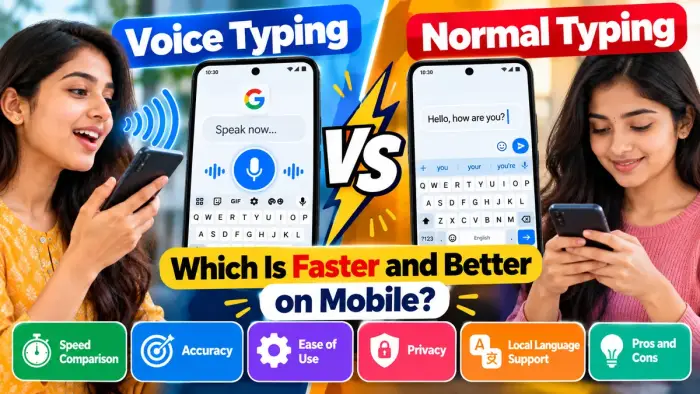
Voice Typing vs Normal Typing
| Feature | Voice Typing | Normal Typing |
|---|---|---|
| Speed | Faster for longer spoken text | Good for short messages |
| Ease of Use | Speak instead of typing | Requires manual input |
| Editing | May need corrections | Easier to edit while typing |
| Noise Requirement | Works best in quieter places | Works anywhere |
| Privacy | Less suitable in public | More private |
| Local Languages | Supported in many languages | Supported through keyboards |
| Best For | Messages, notes, drafts | Precise and private typing |
What Is Voice Typing?
Voice typing converts your spoken words into written text.
With keyboards such as Gboard, you can tap the microphone icon and start speaking. Your phone then converts your speech into text in apps where keyboard input is supported. Google also allows punctuation commands in supported languages.
Voice typing can be useful when you need to write a longer message without manually pressing every key.
What Is Normal Typing?
Normal typing means entering text using the on-screen keyboard.
You tap individual letters or use features such as predictive suggestions and Glide Typing. Gboard, for example, allows users to slide their finger across letters instead of tapping every character individually.
Normal typing remains convenient when you need accuracy and complete control over your text.
Which Is Faster?
For longer messages, voice typing can often feel faster because you can speak an entire sentence instead of entering each character manually.
For example, voice typing may be useful for:
Long WhatsApp messages
Notes and reminders
Emails
Search queries
First drafts of documents
However, speed also depends on speech recognition accuracy. If several words are recognised incorrectly, the time spent correcting them can reduce the advantage.
Normal typing may therefore be faster for very short messages such as “Okay,” “Call me later,” or “I’m coming.”
Which Is More Accurate?
Normal typing generally gives you more control because you can see and correct words as you enter them.
Voice typing accuracy can depend on:
Your pronunciation
Background noise
Selected language
Microphone quality
Names and uncommon words
Speaking clearly in a quieter environment can improve voice recognition.
Some supported Pixel devices also offer advanced Gboard voice typing with features such as automatic punctuation and voice commands for editing text.
Voice Typing Is Better for Long Messages
If you regularly write long messages, voice typing can reduce the amount of manual keyboard work.
Simply open Gboard, tap the microphone, and start speaking. Gboard can be used for voice input in many places where normal keyboard typing is available.
This can be particularly useful when creating a rough draft that you plan to review afterward.
Normal Typing Is Better in Public Places
Voice typing is not always practical.
If you are travelling on a bus, sitting in an office, or surrounded by other people, you may not want to speak your private message aloud.
Normal typing is generally the better choice when:
Privacy matters
The surroundings are noisy
You need precise spelling
You are entering passwords or sensitive information
You need frequent corrections
Can You Use Both Together?
Yes. In fact, combining both methods can be the most practical option.
You can use Voice Typing for the main message and then switch to the keyboard to correct spelling, punctuation, names, or numbers.
Gboard provides both regular keyboard input and voice typing, so users can switch between the two depending on the situation.
Frequently Asked Questions
Is voice typing faster than normal typing?
Voice typing can be faster for longer messages because you speak instead of typing every word. Actual speed depends on how accurately your phone recognises your speech.
Is voice typing available on Android?
Yes. Gboard supports voice typing on Android in many supported languages.
Is normal typing more accurate?
Normal typing gives you more direct control, while voice typing may occasionally misinterpret words, names, or numbers.
Can I use voice typing for WhatsApp?
Yes. If Gboard is enabled, you can open WhatsApp, tap the microphone icon on the keyboard, and dictate your message.
Which method is better for local languages?
Both can be useful. Gboard supports multiple languages, although voice-typing availability and features vary by language.
Conclusion
There is no single winner between voice typing and normal typing.
Voice Typing is especially useful for longer messages, notes, and quick drafts, while Normal Typing is better when privacy, precise editing, and complete control are important.
For most mobile users, the best approach is to use both: speak when it saves time and switch to the keyboard whenever you need accurate corrections.