RTO Vehicle Information 2026 – নম্বৰৰ পৰা মালিকৰ তথ্য, ৰেজিষ্ট্ৰেচন আৰু ষ্টেটাছ চেক কৰক
আপুনি কোনো গাড়ী, বাইক, স্কুটাৰ বা অন্য কোনো বাহনৰ ৰেজিষ্ট্ৰেচন নম্বৰৰ পৰা তাৰ মৌলিক তথ্য চেক কৰিব বিচাৰে নেকি? RTO Vehicle Information 2026-ৰ সহায়ত বাহনৰ নম্বৰ ব্যৱহাৰ কৰি ৰেজিষ্ট্ৰেচন আৰু বাহনসম্পৰ্কীয় বহু গুৰুত্বপূৰ্ণ তথ্য অনলাইনত চেক কৰিব পাৰি।
Second-hand car বা bike কিনাৰ আগতে বাহনৰ Registration Information চেক কৰাটো যথেষ্ট উপযোগী হ’ব পাৰে। ইয়াৰ সহায়ত RC Status, Registering Authority আৰু উপলব্ধ Vehicle Records সম্বন্ধে প্ৰাথমিক তথ্য যাচাই কৰিব পাৰি।
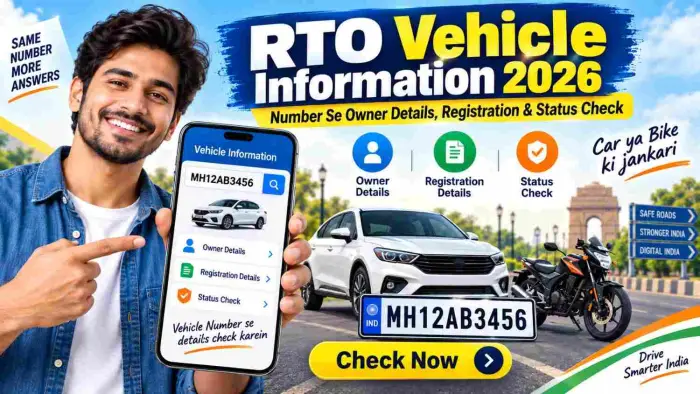
আটাইতকৈ সুবিধাজনক কথা হ’ল, ইয়াৰ বাবে প্ৰতিবাৰ RTO Office-লৈ যাবলগীয়া নহয়। Mobile বা Computer-ৰ পৰা official Parivahan/VAHAN services ব্যৱহাৰ কৰি উপলব্ধ বাহনৰ তথ্য চাব পাৰি।
RTO Vehicle Information কি?
RTO-ৰ full form হৈছে Regional Transport Office। ভাৰতত registered vehicle-ৰ registration আৰু বহু vehicle-related service পৰিবহণ বিভাগ বা সংশ্লিষ্ট transport authority-ৰ দ্বাৰা পৰিচালিত হয়।
VAHAN Citizen Services-ত Know Your Vehicle Details, RC-related services, Transfer of Ownership, Duplicate RC, NOC আৰু Application Status-ৰ দৰে বিভিন্ন সুবিধা উপলব্ধ থাকে।
আপোনাৰ ওচৰত যদি বাহনৰ Registration Number থাকে, তেন্তে উপলব্ধ public records-ৰ জৰিয়তে বাহনটোৰ মৌলিক তথ্য চেক কৰিব পাৰি।
RTO Vehicle Information 2026 – Quick Overview
| তথ্য | বিৱৰণ |
|---|---|
| Service Name | RTO Vehicle Information |
| বছৰ | 2026 |
| Vehicle Type | Car, Bike, Scooter আৰু অন্যান্য Registered Vehicles |
| প্ৰয়োজনীয় তথ্য | Vehicle Registration Number |
| Check Mode | Online |
| Device | Mobile, Laptop, Desktop |
| Main Platform | Parivahan / VAHAN |
| Registration Status | উপলব্ধ record অনুসৰি |
| Insurance/PUCC Information | উপলব্ধতাৰ ওপৰত নিৰ্ভৰশীল |
| Owner Information | Privacy Rules অনুসৰি Limited/Masked হ’ব পাৰে |
| Fees | Basic Information Check কৰিবলৈ service অনুসৰি |
Vehicle Number-ৰ পৰা কি কি তথ্য চেক কৰিব পাৰি?
RTO Vehicle Information by Number ব্যৱহাৰ কৰিলে উপলব্ধ তথ্য বাহন আৰু service অনুসৰি বেলেগ হ’ব পাৰে।
সাধাৰণতে তলৰ তথ্যসমূহ দেখা যাব পাৰে:
Vehicle Registration Status
Registration Number
Registering Authority / RTO
Vehicle Category
Fuel Type
Make/Model সম্পৰ্কীয় উপলব্ধ তথ্য
Registration Validity
Insurance Status, যদি উপলব্ধ থাকে
PUCC Status, যদি উপলব্ধ থাকে
Pending Challan সম্পৰ্কীয় তথ্য
RC সম্পৰ্কীয় মৌলিক তথ্য
কিছুমান official Vehicle Status service-ত Registration Number-ৰ সহায়ত Insurance, PUCC আৰু Pending Challan Status-ৰ দৰে তথ্যও চেক কৰিব পৰা যায়।
Vehicle Number-ৰ পৰা Full Owner Details পোৱা যায় নেকি?
এইটো এটা গুৰুত্বপূৰ্ণ বিষয়।
কেৱল বাহনৰ নম্বৰ Enter কৰি কোনো ব্যক্তিৰ সম্পূৰ্ণ ঠিকনা, Mobile Number বা অন্য Private Personal Information public search-ত পোৱাটো নিশ্চিত নহয়। Privacy আৰু Security-ৰ বাবে Owner Information Limited বা Masked হৈ থাকিব পাৰে।
সেয়েহে “Vehicle Owner Details” মানে public-ত উপলব্ধ বা আইনগতভাৱে access কৰিব পৰা Registration Information বুজিব লাগে, কোনো ব্যক্তিৰ private information নহয়।
RTO Vehicle Details Online কেনেকৈ চেক কৰিব?
Vehicle Registration Information চেক কৰাৰ process যথেষ্ট সহজ।
Step 1: Official Parivahan Service Open কৰক
আপোনাৰ Mobile বা Computer-ত official Parivahan/VAHAN Portal open কৰক।
Fake website বা unknown app-ত আপোনাৰ personal information enter নকৰিব।
Step 2: Vehicle Information Option Select কৰক
Portal-ত Know Your Vehicle Details বা উপলব্ধ Vehicle Information Service select কৰক।
Step 3: Registration Number Enter কৰক
এতিয়া যিটো বাহনৰ তথ্য চাব বিচাৰে তাৰ Registration Number enter কৰক।
Example:
AS01AB1234
Numberটো RC বা Number Plate-ত দিয়া format অনুসৰি সাৱধানে enter কৰক।
Step 4: Verification Complete কৰক
Portal-এ Captcha, Login বা অন্য Verification বিচাৰিব পাৰে। Screen-ত দিয়া instructions follow কৰক।
Step 5: Available Vehicle Details Check কৰক
Verification complete হোৱাৰ পিছত উপলব্ধ record screen-ত দেখা যাব পাৰে।
যদি আপুনি Second-hand Vehicle কিনিবলৈ ভাবি আছে, তেন্তে সকলো তথ্য মনোযোগেৰে চেক কৰক।
Mobile-ৰ পৰা RTO Vehicle Information কেনেকৈ চেক কৰিব?
বৰ্তমান সময়ত RTO Vehicle Information চেক কৰিবলৈ Computer থাকিবই লাগিব বুলি নহয়।
আপুনি Smartphone Browser ব্যৱহাৰ কৰিও এই process complete কৰিব পাৰে।
Mobile-ৰ পৰা চেক কৰাৰ basic steps:
Mobile Browser open কৰক।
Official Parivahan/VAHAN Service-লৈ যাওক।
Vehicle Details Option select কৰক।
Registration Number enter কৰক।
Captcha বা প্ৰয়োজনীয় Verification complete কৰক।
উপলব্ধ details screen-ত check কৰক।
এই process-ৰ সহায়ত Basic Vehicle Information-ৰ বাবে unnecessary RTO visit এৰাব পাৰি।
Second-Hand Car বা Bike কিনাৰ আগতে RTO Details কিয় চেক কৰিব লাগে?
Used Vehicle কিনাৰ সময়ত কেৱল বাহনৰ Body Condition আৰু Price চোৱাই যথেষ্ট নহয়।
Registration Records verify কৰাও গুৰুত্বপূৰ্ণ।
1. Registration Verify কৰিবলৈ
Vehicle-ৰ Registration Number আৰু RC-related উপলব্ধ তথ্য match কৰিছে নে নাই সেয়া চেক কৰিব পাৰি।
2. Vehicle Status Check কৰিবলৈ
Available Online Record-ৰ পৰা Vehicle-ৰ Registration Status-ৰ বিষয়ে প্ৰাথমিক ধাৰণা পাব পাৰি।
3. Insurance Status
Supported Records-ত Vehicle Insurance Status উপলব্ধ থাকিব পাৰে।
Used Vehicle কিনাৰ আগতে Insurance Documents পৃথকভাৱে verify কৰাটো ভাল।
4. PUCC Status
Pollution Under Control Certificate-ৰ উপলব্ধ Status চেক কৰাটোও উপযোগী হ’ব পাৰে।
5. Pending Challan
Vehicle কিনাৰ আগতে Pending Challan Information পৃথকভাৱে verify কৰাটো উচিত।
RC Status Online কেনেকৈ চেক কৰিব?
RC-ৰ অৰ্থ হৈছে Registration Certificate, যিটো বাহনৰ এটা অত্যন্ত গুৰুত্বপূৰ্ণ document।
VAHAN Citizen Services-ত RC আৰু Vehicle-related বহু service উপলব্ধ থাকে, যেনে:
Duplicate RC
Address Change
Transfer of Ownership
NOC
Application Status
যদি RC-related Transaction বা Application আগতেই Submit কৰা হৈছে, তেন্তে Know Your Application Status service-ত Application Number আৰু Vehicle Registration Number ব্যৱহাৰ কৰি Status চেক কৰিব পাৰি।
Vehicle Ownership Transfer কেনেকৈ হয়?
Second-hand Vehicle sell বা purchase কৰাৰ সময়ত কেৱল Vehicle handover কৰাই যথেষ্ট নহয়। Registration Record-ত Ownership Transfer Process complete কৰাও প্ৰয়োজনীয়।
Online Ownership Transfer Workflow-ত সাধাৰণতে তলৰ steps থাকিব পাৰে:
Registration Details
Chassis Details
OTP Verification
Required Information
Documents Upload
Applicable Fees
Exact Requirements ৰাজ্য আৰু case অনুসৰি বেলেগ হ’ব পাৰে।
RTO Vehicle Information চেক কৰাৰ সময়ত এই কথাবোৰ মনত ৰাখক
Online Vehicle Information চেক কৰাৰ সময়ত কিছুমান গুৰুত্বপূৰ্ণ সাৱধানতা মানি চলা উচিত:
সদায় Trusted বা Official Portal ব্যৱহাৰ কৰক।
OTP কোনো Unknown Person-ৰ সৈতে Share নকৰিব।
Random Website-ত RC-ৰ Full Copy Upload নকৰিব।
Vehicle Owner-ৰ Private Data অবৈধভাৱে Access কৰিবলৈ চেষ্টা নকৰিব।
Second-hand Vehicle কিনাৰ আগতে Original RC Verify কৰক।
Seller আৰু Vehicle Details independently Verify কৰক।
Insurance আৰু Challan Status পৃথকভাৱে Check কৰক।
Payment কৰাৰ আগতে Website Address আৰু Service Confirm কৰক।
RTO Vehicle Information 2026-ৰ সুবিধা
Online RTO Vehicle Information 2026-ৰ আটাইতকৈ ডাঙৰ সুবিধা হৈছে Convenience।
Registration Number-ৰ সহায়ত উপলব্ধ Vehicle Information দ্ৰুতভাৱে চেক কৰিব পাৰি। Used Car বা Bike চোৱাৰ সময়ত এইটো Initial Verification-ৰ বাবে যথেষ্ট উপযোগী হ’ব পাৰে।
Online System-ৰ সহায়ত RC-related Services, Application Status আৰু Ownership Transfer-ৰ দৰে process সম্পৰ্কীয় তথ্যও পাব পাৰি।
কিন্তু Online Result-ক Final Legal Verification-ৰ replacement বুলি ধৰা উচিত নহয়। গুৰুত্বপূৰ্ণ Purchase বা Ownership Transaction-ৰ সময়ত Original Documents আৰু applicable RTO Records-ও verify কৰিব লাগে।
FAQ – RTO Vehicle Information 2026
1. Vehicle Number-ৰ পৰা Owner Details কেনেকৈ চেক কৰিব?
Official Vehicle Information Service-ত Registration Number enter কৰি Publicly Available Registration Information চেক কৰিব পাৰি। Privacy-ৰ বাবে Full Personal Details উপলব্ধ থাকিবই বুলি ক’ব নোৱাৰি।
2. Number Plate-ৰ পৰা Vehicle Information পোৱা যায় নেকি?
হয়। Valid Registration Number ব্যৱহাৰ কৰি available Vehicle Registration Information search কৰিব পাৰি।
3. Mobile-ৰ পৰা RTO Vehicle Details চেক কৰিব পাৰি নেকি?
হয়। Smartphone Browser ব্যৱহাৰ কৰি Supported Official Vehicle Information Services access কৰিব পাৰি।
4. Vehicle Number-ৰ পৰা Owner-ৰ Mobile Number পোৱা যায় নেকি?
সাধাৰণতে Public Vehicle Lookup-ক Owner-ৰ Private Mobile Number বিচাৰিবলৈ ব্যৱহাৰ কৰা উচিত নহয়। Personal Information-ৰ ওপৰত Privacy আৰু Access Restrictions থাকিব পাৰে।
5. Bike আৰু Car দুয়োটাৰ Information চেক কৰিব পাৰি নেকি?
হয়। Supported Registered Vehicles-ৰ উপলব্ধ information Registration Number-ৰ সহায়ত check কৰিব পাৰি।
6. RC Status Online চেক কৰিব পাৰি নেকি?
হয়। Registration আৰু RC-related Information-ৰ লগতে Submit কৰা Vehicle Service Application-ৰ Status-ও Supported Official Services-ৰ জৰিয়তে চেক কৰিব পাৰি।
7. Insurance Status-ও চেক কৰিব পাৰি নেকি?
কিছুমান Official Vehicle Information Services-ত Insurance Status উপলব্ধ থাকে। Record Availability Vehicle Data-ৰ ওপৰত নিৰ্ভৰ কৰিব পাৰে।
8. Used Car কিনাৰ আগতে RTO Details চেক কৰিব লাগে নেকি?
হয়। Registration, RC, Insurance, Challan আৰু Ownership Transfer Status verify কৰাটো Second-hand Vehicle Purchase-ৰ সময়ত গুৰুত্বপূৰ্ণ।
Conclusion
RTO Vehicle Information 2026-ৰ সহায়ত Car, Bike বা অন্য Registered Vehicle-ৰ উপলব্ধ Registration Information Mobile-ৰ পৰা চেক কৰাটো এতিয়া বহুত সহজ হৈছে।
Vehicle Registration Number ব্যৱহাৰ কৰি RC-related Status, Registering Authority আৰু উপলব্ধ Insurance, PUCC বা Challan Information verify কৰিব পাৰি। Used Vehicle কিনিব বিচৰা user-ৰ বাবে এইটো Initial Verification-ৰ এটা উপযোগী step হ’ব পাৰে।
কেৱল এইটো মনত ৰাখিব যে Vehicle Number ব্যৱহাৰ কৰি কোনো Owner-ৰ Confidential Personal Information উলিয়াবলৈ এই service তৈয়াৰ কৰা হোৱা নাই। সদায় Official Services ব্যৱহাৰ কৰক আৰু Vehicle Purchase বা Ownership Transfer-ৰ সময়ত Original Documents-ও Verify কৰক।