How to Check RC Status Online – Registration Certificate Details & Download Guide
A vehicle Registration Certificate, commonly known as an RC, is one of the most important documents for any car, bike, scooter, or other registered vehicle. It confirms that the vehicle has been officially registered with the concerned transport authority.
Today, vehicle owners can check many RC details online without repeatedly visiting an RTO office. Using official digital services such as VAHAN, mParivahan, and DigiLocker, users can check registration-related information, application status, and access a digital Registration Certificate where available.
This guide explains how to check RC status online, what information you may find, and how to access or download a digital RC.
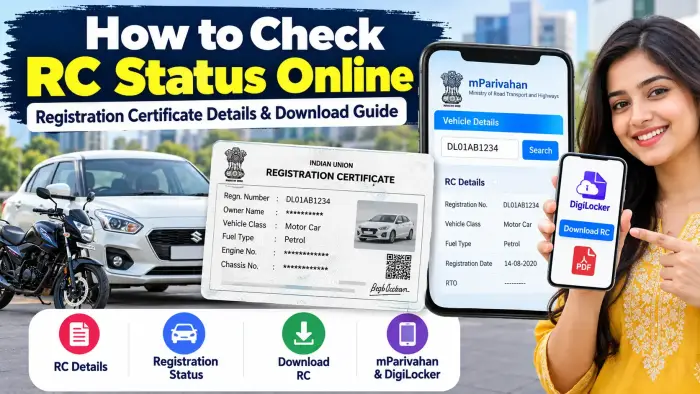
RC Status Online – Quick Overview
| Details | Information |
|---|---|
| Document | Registration Certificate (RC) |
| Vehicle Types | Car, Bike, Scooter and Other Registered Vehicles |
| Main Portal | VAHAN / Parivahan |
| Search Requirement | Vehicle Registration or Application Number |
| Digital RC | Available through supported digital services |
| Mobile Access | mParivahan / DigiLocker |
| Service Type | Online |
| Purpose | Check Registration and RC Details |
What Is a Vehicle Registration Certificate?
A Registration Certificate is an official vehicle document containing important registration information.
Depending on the record and service being used, RC-related information may include details such as:
Vehicle registration number
Registration status
Vehicle category
Registration validity
Fuel type
Registration-related application status
RTO information
Other available vehicle details
Your RC should always contain correct and updated information about the registered vehicle.
How to Check RC Status Online
The VAHAN citizen-services system provides online vehicle and RC-related services, including options for checking vehicle information and application status.
Step 1: Open the Official Parivahan/VAHAN Service
Open the official vehicle-services section of the Parivahan portal.
Avoid entering vehicle or personal details on unknown websites that imitate government transport portals.
Step 2: Select the Vehicle or RC Service
Look for options such as:
Know Your Vehicle Details
or
Know Your Application Status
The exact option you need depends on whether you want general vehicle information or the status of an RC-related application.
Step 3: Enter the Required Details
You may be asked to enter information such as:
Vehicle registration number
Application number
Verification code/CAPTCHA
The official VAHAN application-status service supports searches using an application number or vehicle registration number.
Step 4: Complete Verification
Enter the CAPTCHA or other requested verification information.
Check your vehicle number carefully before submitting the request.
Step 5: View Your RC Status
The available registration or application information should appear on the screen.
If you recently applied for an RC-related service, you may be able to use this section to track the progress of your application.
How to Check RC Using mParivahan
Vehicle owners can also use mParivahan, the Ministry of Road Transport and Highways' mobile vehicle-services platform.
mParivahan supports digital transport services and includes Virtual RC functionality.
After installing the official application, follow the instructions inside the app to add or access your vehicle information.
This makes it convenient to access vehicle-related information directly from a smartphone.
How to Download Digital RC Using DigiLocker
DigiLocker is another convenient way to access an officially issued digital Registration Certificate.
DigiLocker is integrated with the Ministry of Road Transport and Highways' National Register, allowing eligible users to fetch their digital vehicle Registration Certificate.
Steps to Get Digital RC in DigiLocker
Open the official DigiLocker website or app.
Sign in to your DigiLocker account.
Complete the required account verification.
Search for vehicle Registration Certificate or the Ministry of Road Transport and Highways.
Select the appropriate RC service.
Enter the requested vehicle details.
Fetch your digital RC.
Open the issued document and use the available viewing or download option.
Once successfully fetched, the document is stored in the Issued Documents section for future access.
Is Digital RC Valid?
DigiLocker states that digital vehicle Registration Certificates fetched through its issued-document system are recognized by the Ministry of Road Transport and Highways and can be digitally verified.
Users should fetch the RC through the official issued-document system rather than simply storing a photograph or unofficial scan of the physical document.
Why Is My RC Not Showing in DigiLocker?
Sometimes users may not be able to fetch their digital RC immediately.
Possible reasons include:
Incorrect vehicle details
Information mismatch
RC record not available in the National Register
Owner information does not match
Temporary technical issue
DigiLocker explains that if an RC record is not available in the National Register, it may not be possible to fetch it through DigiLocker.
Check all details carefully before trying again.
RC Status vs RC Application Status
These two terms are often confused.
RC Details
RC details refer to information linked with an already registered vehicle.
RC Application Status
Application status tells you the progress of a service you recently requested, such as an RC-related transaction.
The VAHAN application-status page allows users to search using an application number or vehicle registration number.
When Should You Check Your RC Details?
Checking registration information can be useful when:
Buying a used vehicle
Selling your vehicle
Checking registration information
Tracking an RC-related application
Accessing a digital RC
Confirming vehicle records
Preparing vehicle documents for travel
Checking whether vehicle information is updated
For a second-hand vehicle, buyers should verify all important documents and ownership information before completing a transaction.
Keep Your Vehicle Documents Secure
Vehicle registration details are important personal and vehicle-related records.
Avoid sharing sensitive RC information, OTPs, account passwords, or personal identification details with unknown websites or callers.
Use only official transport services and trusted digital document platforms.
Frequently Asked Questions
Can I check RC status online using my vehicle number?
Yes. VAHAN provides vehicle-related online services, and its application-status facility supports searches using a vehicle registration number.
Can I download my RC online?
Eligible users can fetch their digital Registration Certificate through services such as DigiLocker.
Can I access RC details from my mobile phone?
Yes. mParivahan provides mobile-based transport services and supports Virtual RC functionality.
What is required to check RC application status?
Depending on the service, you may need your application number or vehicle registration number along with CAPTCHA verification.
Why is my RC not available online?
The information may be incorrect, the record may not yet be updated, or the vehicle record may not be available in the relevant national database.
Can I keep my digital RC in DigiLocker?
Yes. Once successfully fetched, an issued digital RC can remain available in the DigiLocker Issued Documents section.
Should I use third-party websites to download RC?
For important vehicle documents, official government transport services and trusted official digital-document platforms are safer choices.
Conclusion
Checking RC status online has made vehicle-document management much easier. Vehicle owners can use VAHAN services to check registration and application information, while platforms such as mParivahan and DigiLocker make it possible to access digital vehicle records from a smartphone.
Always enter the correct vehicle information and use official services when checking or downloading your Registration Certificate. Keeping your RC details updated and easily accessible can make vehicle verification, document checks, buying, selling, and everyday vehicle management much simpler.