How to Check FASTag Status and Balance Using Vehicle Number
FASTag makes toll payments easier by allowing the toll amount to be deducted automatically from a linked wallet or bank account. However, before starting a highway journey, it is useful to confirm that your FASTag is active and has enough balance.
Vehicle owners can check the FASTag status linked to a vehicle number, verify whether the tag is active or blacklisted, and check the available FASTag balance using official services such as NPCI, MyFASTag, the issuing bank’s website or app, and other supported methods.
This guide explains how to check FASTag status and balance using your vehicle number, how to recharge it, and what to do if the tag is showing inactive or blacklisted.
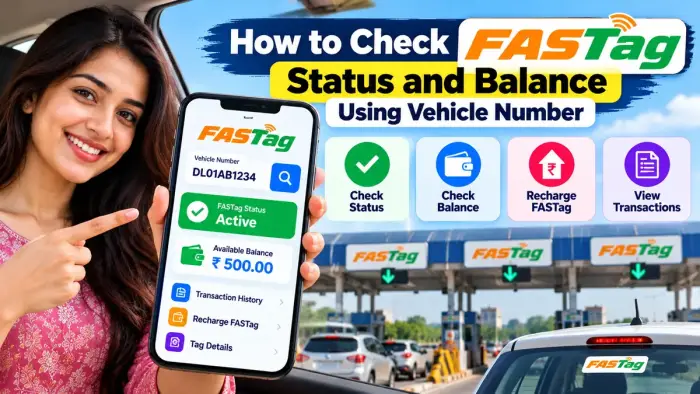
FASTag Status & Balance Check – Quick Overview
| Details | Information |
|---|---|
| Service | FASTag Status & Balance Check |
| Main Requirement | Vehicle Registration Number |
| Status Check | NPCI FASTag Status Service |
| Balance Check | MyFASTag / Issuing Bank |
| Recharge | UPI, BBPS, Bank App and Other Supported Methods |
| Possible Status | Active, Low Balance, Blacklisted/Inactive |
| Vehicle Specific | Yes |
| Service Mode | Online / Mobile |
What Is FASTag?
FASTag is an RFID-based electronic toll payment system. The tag is normally attached to a vehicle’s windscreen and is linked to a prepaid wallet, savings account, current account or other supported payment arrangement.
When the vehicle passes through an enabled toll plaza, the applicable toll amount is deducted automatically from the linked FASTag account.
NPCI states that FASTag is vehicle-specific and cannot simply be transferred from one vehicle to another.
How to Check FASTag Status Using Vehicle Number
NPCI provides an official facility to check FASTags linked to a vehicle.
Step 1: Open the Official FASTag Status Service
Go to the official NPCI NETC FASTag status facility.
IHMCL confirms that users can check the status of FASTags linked to their vehicle through the official NPCI FASTag status page.
Step 2: Enter Your Vehicle Number
Enter your vehicle registration number carefully.
For example:
DL01AB1234
Make sure the number matches the Registration Certificate.
Step 3: Submit the Details
Complete any CAPTCHA or verification requested on the page and submit the vehicle information.
Step 4: Check FASTags Linked to the Vehicle
The system can display FASTags linked with the entered vehicle number along with their status.
This is especially useful if more than one FASTag has previously been issued for the same vehicle.
Under the One Vehicle One FASTag framework, only one active FASTag should remain associated with a vehicle, while older linked FASTags may be deactivated.
How to Check FASTag Balance Using Vehicle Number
For balance checking, one convenient option is the official MyFASTag app.
IHMCL states that MyFASTag can display the real-time balance status of the FASTag wallet assigned to a vehicle number.
Steps to Check Balance in MyFASTag
Install the official MyFASTag app.
Open the app.
Enter or add your vehicle details.
Select the relevant FASTag.
Check the displayed wallet or tag balance status.
The app can also help users track FASTag transactions and recharge supported FASTag accounts.
Understanding FASTag Status Colours
MyFASTag may display tag status using colour indicators.
According to IHMCL:
| Colour | Meaning |
|---|---|
| Green | Active tag with sufficient balance |
| Orange | Low balance |
| Red | Blacklisted tag |
Checking this status before travelling can help reduce problems at toll plazas.
Check FASTag Balance Through Issuing Bank
Another reliable method is to use the bank or institution that issued your FASTag.
Open the issuer’s official:
Website
Mobile banking app
FASTag portal
Wallet app
Log in using the required details and open the FASTag section.
Depending on the issuer, you may be able to view:
Available balance
Recent toll transactions
Recharge history
Vehicle number
FASTag status
Wallet details
Recharge option
If you do not remember which bank issued your FASTag, the NPCI vehicle-status facility can help identify tags associated with your vehicle.
FASTag Balance Check by Missed Call
For users of the NHAI Prepaid Wallet, IHMCL currently provides a missed-call balance enquiry facility.
Users whose mobile number is registered with the NHAI Prepaid Wallet can give a missed call to:
+91-8884333331
IHMCL states that this facility is available round the clock.
This particular service relates to the NHAI Prepaid Wallet, so FASTags issued by other banks may require the respective bank’s app, portal or customer-care service.
How to Recharge FASTag Online
If your balance is low, recharge the FASTag before travelling.
FASTag can generally be recharged through supported methods such as:
UPI
BBPS
Net banking
Bank mobile apps
Issuing-bank FASTag portals
MyFASTag
Other supported payment channels
IHMCL confirms that FASTag users are not restricted to recharging only from the issuing bank and can use supported payment methods such as BBPS, UPI and net banking.
Why Is My FASTag Showing Blacklisted?
A FASTag may be blacklisted or become unusable for several reasons.
Possible reasons include:
Insufficient FASTag wallet balance
KYC-related issues
Tag closure or deactivation
Multiple FASTags linked to the same vehicle
Issuer-bank restrictions
Account-related problems
NPCI states that if adequate balance is not maintained in a prepaid FASTag account, the FASTag may be blacklisted at the toll plaza.
If your balance is sufficient but the tag still appears blacklisted, contact the issuing bank.
One Vehicle One FASTag Rule
The One Vehicle One FASTag initiative is intended to prevent multiple active FASTags from being used for the same vehicle.
IHMCL explains that only one active FASTag is permitted for one vehicle and older tags linked to the same vehicle may be deactivated.
Therefore, if you recently purchased a replacement FASTag, check whether your older tag is still showing in the system.
What If FASTag Has Balance but Does Not Work at Toll Plaza?
Sometimes the FASTag may have sufficient balance but still fail to work correctly at a toll plaza.
In such a situation:
Check your tag status in MyFASTag.
Verify that the correct vehicle number is linked.
Confirm sufficient wallet balance.
Check whether the tag is blacklisted.
Contact your issuing bank if the problem continues.
IHMCL specifically recommends using MyFASTag to check the real-time balance and status associated with the vehicle number when a FASTag does not work despite having sufficient funds.
How to Find Your FASTag Issuing Bank
If you do not remember which bank issued your FASTag, first check the FASTag status linked with your vehicle number.
NPCI also maintains a list of FASTag issuing banks and their customer-care numbers.
Contact the relevant issuer for problems involving:
Recharge not updated
Incorrect deductions
Blacklisted FASTag
KYC issues
Tag replacement
FASTag closure
Balance refund
How to Check FASTag Transaction History
FASTag transaction history can usually be viewed through:
MyFASTag
Issuing bank app
Issuing bank FASTag portal
MyFASTag supports transaction tracking in addition to balance checking and recharging.
Transaction history can help you verify toll deductions and identify unexpected charges.
Safety Tips While Checking FASTag
Always use official or trusted services when entering FASTag, vehicle or payment information.
Avoid:
Unknown FASTag recharge websites
Suspicious SMS payment links
Sharing OTPs
Sharing banking passwords
Installing unknown FASTag APK files
If you receive a message claiming your FASTag has been blocked, verify the status through your bank or official FASTag service before making payment.
Frequently Asked Questions
Can I check FASTag status using my vehicle number?
Yes. NPCI provides an official facility that allows users to check FASTags linked to a vehicle and their current status.
Can I check FASTag balance using vehicle number?
MyFASTag can show the real-time balance status of the FASTag wallet assigned to a vehicle number.
How do I know whether my FASTag is active?
Check the FASTag through the NPCI status service or MyFASTag. A green MyFASTag status indicates an active tag with sufficient balance.
Why is my FASTag showing red?
A red status in MyFASTag indicates that the FASTag is blacklisted.
Can multiple FASTags be active on the same vehicle?
Under the One Vehicle One FASTag framework, only one active FASTag should be linked with one vehicle.
Can I recharge FASTag using UPI?
Yes. Supported recharge options can include UPI, BBPS, net banking and other methods.
How can I check NHAI FASTag balance by missed call?
For a mobile number registered with the NHAI Prepaid Wallet, IHMCL provides the missed-call number +91-8884333331 for balance enquiry.
What should I do if the recharge amount is not showing?
Check the transaction status and wait for the balance to update. If it does not update, contact the issuing bank with the recharge or transaction reference.
Conclusion
Checking your FASTag status and balance using a vehicle number is useful before every long highway journey. The official NPCI service can help you verify FASTags linked to your vehicle, while MyFASTag and your issuing bank can help you check balance, transactions and recharge information.
Keep sufficient balance, make sure only the correct active FASTag is linked to your vehicle, and resolve any blacklisted or KYC-related issue before travelling. Using official FASTag services can help you avoid unnecessary delays at toll plazas.