How to Apply for a PAN Card Online – Step-by-Step Application Guide
A Permanent Account Number, commonly known as PAN, is an important tax identification number in India. It is used for income-tax purposes and is also required for various specified financial transactions. If you do not already have a PAN and need one, you can complete the applicable application process online.
There are different routes for obtaining PAN. Eligible individual taxpayers can use the Instant e-PAN facility provided through the Income Tax Department’s e-Filing portal. Other applicants can use the applicable regular PAN allotment process according to their category and documentation requirements.
From 1 April 2026, fresh PAN applications are filed using the new forms prescribed under the Income-tax Rules, 2026. Therefore, applicants should avoid outdated forms and follow the current official application instructions.
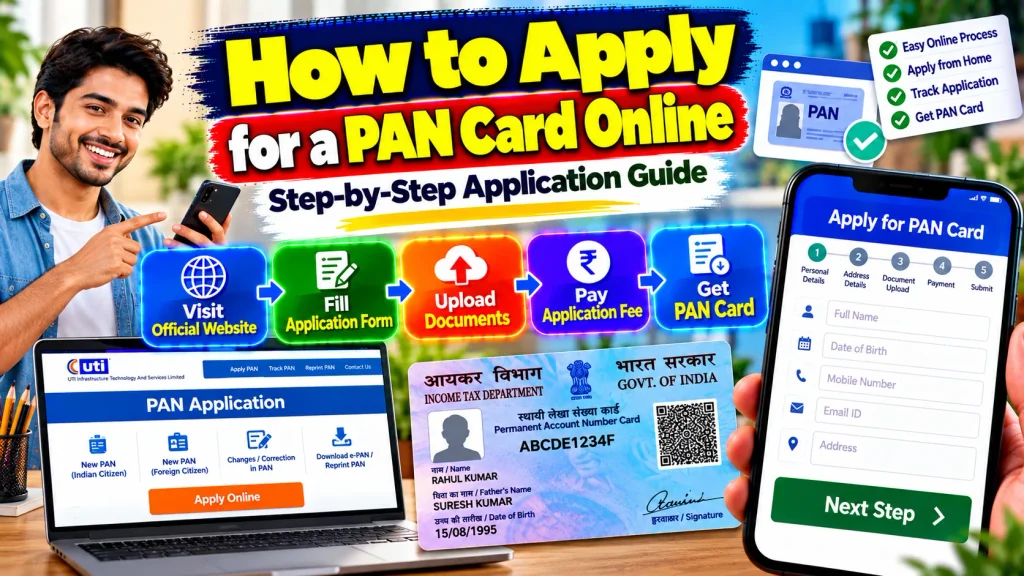
This guide explains how to apply for a PAN Card online, eligibility, documents, Aadhaar verification, Instant e-PAN steps and how to check your application status.
PAN Card Online Application – Quick Overview
| Details | Information |
|---|---|
| Document | Permanent Account Number (PAN) |
| Issuing Authority | Income Tax Department |
| Application Mode | Online |
| Fresh Application | Available for eligible applicants |
| Instant e-PAN | Available for eligible individuals |
| Instant e-PAN Cost | Free |
| Aadhaar | Required for Instant e-PAN |
| Aadhaar-Linked Mobile | Required for OTP |
| DigiLocker | Required for current Instant e-PAN process |
| Existing PAN Holder | Should not apply for another PAN |
| Minor | Not eligible for Instant e-PAN |
| Application Status | Can be checked online |
| e-PAN | Digital PAN can be downloaded |
| New Forms | Applicable from 1 April 2026 |
What Is a PAN Card?
PAN stands for Permanent Account Number. It is a unique alphanumeric tax identifier allotted by the Income Tax Department.
PAN helps connect applicable tax information and is also quoted for various specified financial transactions.
Once PAN has been allotted, you should continue using the same PAN. A change in your address, mobile number or other personal details does not mean that you should apply for a second PAN.
Instead, the appropriate correction or update procedure should be used.
Who Can Apply for a New PAN?
Different categories of applicants can obtain PAN subject to applicable rules.
Indian individuals, minors through the appropriate representative process, NRIs, foreign citizens, companies, firms and other eligible entities can apply through the route applicable to their category.
However, the Instant e-PAN service has narrower eligibility requirements.
It is designed for eligible individual taxpayers who have not already been allotted PAN and meet the Aadhaar-based requirements.
Two Ways to Apply for PAN Online
Before beginning, understand the difference between a regular PAN application and Instant e-PAN.
A regular PAN application is used by applicants who need to submit the applicable application form and supporting information according to their category.
Instant e-PAN is a free digital facility for eligible individuals. It uses Aadhaar e-KYC and the current process also uses DigiLocker for supporting date-of-birth information.
Applicants should choose the route for which they are eligible rather than assuming Instant e-PAN applies to everyone.
Step 1: Check Whether You Already Have PAN
Before applying, make sure a PAN has not already been allotted to you.
Do not submit another fresh application simply because you have lost your physical PAN card or forgotten the number.
If you already have PAN, use the appropriate service to retrieve, reprint, update or correct the existing PAN information.
Maintaining more than one PAN can create tax and compliance problems.
Step 2: Choose the Correct PAN Application Route
If you are an eligible individual with Aadhaar and meet the current Instant e-PAN requirements, you may use the Income Tax Department’s Instant e-PAN facility.
If you are not eligible for Instant e-PAN, use the applicable regular PAN allotment process.
The application method can vary for minors, NRIs, foreign citizens, companies, firms and other entities.
Selecting the correct applicant category is important because documentation and verification requirements can differ.
Step 3: Keep Your Information Ready
Before starting an application, keep your basic details ready.
These can include your full legal name, date of birth, contact details and applicable address information.
Regular PAN applications may require prescribed Proof of Identity, Proof of Address and Proof of Date of Birth, depending on the applicant category and application route.
Check the spelling of your name and other details carefully before submitting them.
Step 4: Understand Instant e-PAN Requirements
For the current Instant e-PAN service, the applicant must be an eligible individual who has not already been allotted PAN.
The applicant needs a valid Aadhaar and an active mobile number linked with Aadhaar for OTP verification.
Access to DigiLocker is also required under the current process.
A minor is not eligible for Instant e-PAN. A person covered under the applicable Representative Assessee provisions is also excluded from this facility.
Step 5: Open the Instant e-PAN Service
Eligible applicants can begin from the Income Tax e-Filing portal.
On the homepage, locate Instant e-PAN under the available quick links.
Select the option to obtain a new e-PAN.
Read the eligibility declarations and instructions carefully.
Do not proceed if PAN has already been allotted to you or if you do not satisfy the current eligibility requirements.
Step 6: Complete DigiLocker and Aadhaar Verification
Under the current Instant e-PAN process, the applicant is directed through DigiLocker for applicable date-of-birth details and supporting proof.
Complete the required consent and authentication process.
Aadhaar or the applicable Virtual ID may be used during authentication according to the current service instructions.
An OTP is sent to the mobile number registered with Aadhaar.
Enter the OTP only on the official authentication page and never share it with an unknown person, agent or caller.
Step 7: Verify Your Personal Details
After successful authentication, carefully review the information shown during the process.
Make sure your name and date-of-birth details correspond with your valid records.
Follow the current instructions for any additional information requested.
If the underlying Aadhaar or supporting information is incorrect, it may be better to correct the relevant source record before completing the PAN process rather than submitting information you know is inaccurate.
Step 8: Submit the PAN Request
After verifying all information and completing the required declarations, submit the request.
Once the Instant e-PAN request is successfully submitted, the system provides an Acknowledgement Number.
Save this number.
It can be useful when referring to the request later.
You may also receive confirmation through the mobile number linked with Aadhaar.
Avoid closing the process before confirming that submission was successful.
Step 9: Check PAN Application Status
The Instant e-PAN facility allows applicants to check the status of a pending request.
Return to the Instant e-PAN section and choose the Check Status / Download PAN option.
Provide the requested Aadhaar information and complete OTP verification.
The current status of the request can then be displayed.
For a regular PAN application, use the status-tracking method provided for that specific application route and keep the acknowledgement details safely stored.
Step 10: Download Your e-PAN
Once the Instant e-PAN has been successfully generated and allotted, you can use the available View e-PAN or Download e-PAN option.
The e-PAN is a digitally signed PAN in electronic form.
Save the document securely.
If you later register on the Income Tax e-Filing portal, applicable PAN services can also be accessed through your account.
Do not share your PAN document publicly or upload it to unknown websites.
Documents for Regular PAN Application
The documents required for a regular PAN application depend on the applicant category.
For individuals, the main documentary categories generally include Proof of Identity, Proof of Address and Proof of Date of Birth.
Accepted documents depend on the current rules.
Requirements can differ for minors, NRIs and foreign citizens.
Therefore, check the latest official document list for your specific applicant category instead of relying on an old generic checklist.
Instant e-PAN Date of Birth Proof
The current Instant e-PAN process uses DigiLocker to obtain applicable date-of-birth information and supporting proof with the applicant’s consent.
The Income Tax Department currently lists prescribed DigiLocker documents such as a birth certificate, matriculation certificate, driving licence, Class X marksheet or passing certificate, and CGHS Card for this purpose.
The selected document should already be available through DigiLocker as required by the service.
Is Instant e-PAN Free?
Yes. The Income Tax Department states that Instant e-PAN is free of cost.
This applies to the specific Instant e-PAN facility.
Do not assume that every PAN-related service or every application route has identical charges.
If using another PAN service, check the current applicable fee before making payment.
Avoid unknown websites that demand unnecessary charges while pretending to be the official Income Tax Department service.
PAN Application for Minors
A minor can obtain PAN through the applicable regular PAN application process, but a minor cannot currently use the Instant e-PAN facility.
The regular process can involve a parent, guardian or other applicable representative.
Appropriate identity, address and date-of-birth documentation must be provided according to current requirements.
Parents should therefore choose the regular minor PAN process rather than attempting the Instant e-PAN route.
PAN Application for NRIs and Foreign Citizens
NRIs and foreign citizens can apply for PAN where required, but their documentation and application route may differ.
Passport and applicable overseas address or residency documents can be relevant depending on the applicant category.
Applicants residing outside India should carefully follow the current requirements applicable to their citizenship and residence status.
Do not use a resident-individual document checklist without checking whether it applies to your situation.
PAN Application Rules From April 2026
An important change took effect on 1 April 2026.
According to the Income Tax Department, applications for allotment of a new PAN on or after this date must be filed using the new forms prescribed under the Income-tax Rules, 2026.
PAN applications already pending as of 31 March 2026 did not become invalid simply because the new forms came into effect.
Existing PAN numbers also continue to remain valid.
Common Mistakes to Avoid
One of the biggest mistakes is applying for another PAN when one has already been allotted.
Applicants should also avoid entering incorrect names or dates of birth, using outdated application forms, selecting the wrong applicant category or submitting information that does not correspond with valid documents.
For Instant e-PAN, make sure Aadhaar is linked with an active mobile number and the necessary DigiLocker access is available.
Always use official services for PAN-related applications and status checks.
Frequently Asked Questions (FAQ)
1. Can I apply for a PAN Card online?
Yes. PAN applications can be completed through applicable online PAN services.
2. What is Instant e-PAN?
Instant e-PAN is a free Income Tax Department service for eligible individuals to obtain digitally signed PAN electronically.
3. Is Aadhaar required for Instant e-PAN?
Yes. A valid Aadhaar is required for the current Instant e-PAN process.
4. Is an Aadhaar-linked mobile number required?
Yes. An active mobile number linked with Aadhaar is needed for OTP authentication.
5. Is DigiLocker required for Instant e-PAN?
Yes. The current Instant e-PAN requirements include access to DigiLocker.
6. Can a minor use Instant e-PAN?
No. A minor is currently not eligible for Instant e-PAN but can use the applicable regular PAN process.
7. Is Instant e-PAN free?
Yes. The Income Tax Department provides Instant e-PAN free of cost.
8. How can I check my Instant e-PAN status?
Use the Check Status / Download PAN option in the Instant e-PAN service and complete the required Aadhaar authentication.
9. Can I apply again if I already have PAN?
No. Use the appropriate update, correction or reprint service for your existing PAN.
10. Did PAN application forms change in 2026?
Yes. Fresh PAN applications from 1 April 2026 use the new forms prescribed under the Income-tax Rules, 2026.
Conclusion
Understanding how to apply for a PAN Card online starts with choosing the correct application route.
Eligible individuals who have never been allotted PAN and meet the current Aadhaar, mobile and DigiLocker requirements can use the free Instant e-PAN service. Other applicants should follow the applicable regular PAN application process for their category.
Before submitting your application, verify your name, date of birth, address and supporting information carefully. Keep the acknowledgement details after submission and use the official status-check facility to follow your request.
Remember that fresh PAN applications from 1 April 2026 follow the new forms prescribed under the Income-tax Rules, 2026. Using current official instructions and avoiding duplicate PAN applications can make the process safer and more straightforward.