DigiLocker Se 10th/12th Marksheet Mobile Par Kaise Nikalein
10th or 12th Class marksheet missing, school side hard copy not yet received, or urgent requirement for a digital copy for admission? DigiLocker can be very helpful in Aise situation. DigiLocker is a secure digital document platform, through which eligible students can access their Board's academic documents from their mobile devices.
DigiLocker ke through marksheet nikalne ka process generally simple hota hai. Student log in to his/her DigiLocker account, select the board or institution and enter the required details such as roll number and passing year and fetch the available document. After filling in the milne, it can be saved in the “Issued Documents” section.
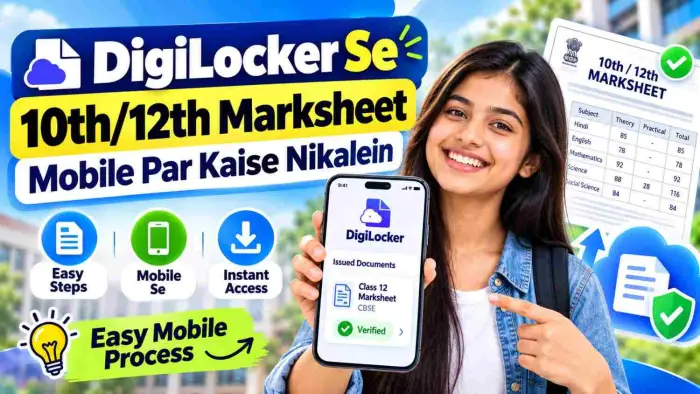
How to get class 10th or 12th mark sheet from DigiLocker, which details are needed and what to do if the mark sheet is not available.
DigiLocker Kya Hai?
DigiLocker is a digital platform where users can access, store, share and verify their authentic digital documents. Platform par alag alag government departments, education boards aur institutions designe karte hain.
Students ke liye DigiLocker useful ho sakte hai, because the academic records such as mark sheets, certificates etc of participating boards and institutions are available online.
Student can fetch their DigiLocker system ke through documents of academic institution which are inserted by the original issuing institution after being published in the DigiLocker system.
Kaun-Kaun Se Education Document DigiLocker Mein Mil Sakte Hain?
Available documents may be separated from board or institution depending. Usually these are the documents that you can get from aapko:
Class 10th Marksheet
Class 12th Marksheet
Passing Certificate
Migration Certificate
Academic Certificates
University Degree
Diploma Certificate
Other educational awards
There is no need for all the documents to be available for har board. The DigiLocker integration and uploading of records depend on availability issuing board ya institution.
DigiLocker Se 10th/12th Marksheet Nikalne Ke Liye Kya Chahiye?
Before getting a marksheet, it's helpful to have some basic information ready.
| Required Detail | Use |
|---|---|
| Mobile Number | DigiLocker login/registration |
| Aadhaar | Account verification/linking, if required |
| Roll Number | Student record identify karne ke liye |
| Passing Year | Correct examination record search karne ke liye |
| Board Name | Correct issuing authority select karne ke liye |
| Registration Number | Kuch boards ya institutions mein required ho sakta hai |
| Student Name | Record verification ke liye |
Exactly how to change the details board ke is possible.
Mobile Se Marksheet Kaise Download Karein?
Aap mobile app ya supported DigiLocker web interface ke through document access kar sakte hain.
Step 1: DigiLocker Account Mein Login Karein
Firstly log in to your DigiLocker account.
Agar aadhaar nahi hai to mobile number ke through registration kiya ja sakta hai. According to the official information, students can create DigiLocker account and access their academic awards.
Step 2: Browse Documents Open Karein
Once you log in, you can view “Browse Documents” or similar document search options.
The “Education” category will be selected to iske. Under the official DigiLocker guidance, one can search for the academic documents from Education section in order to fetch it for the purpose of academic transactions.
Step 3: Apna Board Select Karein
Find apna education board or institution.
Example:
CBSE
State Education Board
University
College
Other registered educational institution
Agar aapka board DigiLocker par integrated hai, to aapko aapne available document types screen par milenge.
Step 4: Marksheet Select Karein
Documents available in the file, choose “Class X Marksheet”, “Class XII Marksheet” or “Marksheet” as applicable.
The name of the document can be slightly different depending on which board it is issued by.
Step 5: Required Details Enter Karein
Ab asked for information filling to be done. With regard to the information, Ismein says that it's generally available.
Roll Number
Passing Year
Registration Number
Name
Examination details
According to the official process of DigiLocker-NAD, the user has to enter the required search parameters and click on the “Get Document” option.
Step 6: Get Document Par Tap Karein
If applicable, carefully read karne ke baad consent, provide karein and tap “Get Document”.
Agar information issuing authority ke record se match karti hai then marksheet fetch ho sakti hai.
Step 7: Issued Documents Section Check Karein
Successfully fetch hone ke baad marksheet generally DigiLocker ke “Issued Documents” section mein available ho jaati hai. Wahan se aap document ko view kar sakte hain and available options ke through access kar sakte hain.
CBSE 10th/12th Marksheet DigiLocker Se Kaise Milegi?
The integration of DigiLocker into CBSE students' lives is quite straightforward.
According to the official DigiLocker FAQ, the students after logging into the CBSE can download documents like marksheet, passing certificate or migration certificate from the Education category. Details of the student like year and roll number are required.
Security-based access code system is also being used for CBSE Class X and XII students' DigiLockers in recent years. In the circular, CBSE had mentioned about the six-digit code system for students to access their digital academic documents in CBSE ke 2025 exams.
Students of the current batch can follow the additional activation process as per the instructions of school or CBSE.
DigiLocker Mein Marksheet Nahi Dikh Rahi To Kya Karein?
Student's mark sheet didn't appear at all, Kabhi-kabhi. Has to be, Iske kai says.
1. Roll Number Galat Ho Sakta Hai
You need to enter the roll no. in the corresponding admit card ya according sheet of marks.
Record nahi mil sakta waste extra spaces, incorrect digits or incorrect examination year.
2. Wrong Passing Year Select Kiya Ho
Verify correct passing year for classes 10th & 12th.
3. Board DigiLocker Par Available Nahi Ho
Har institution ka data DigiLocker-NAD mea available nahi hota.
Academic certificate can be discovered only when concerned institution upload the data on the official DigiLocker-NAD FAQ and the publication process is completed.
4. Old Record Digitised Nahi Ho
There was the possibility of having academic records online on Bahut purane.
You can contact a respective board in aise case.
5. Name Ya Registration Details Mismatch Ho
If the document is not able to be fetched and the student ka naam, roll number, registration number or DOB does not match, then it is not possible.
DigiLocker Marksheet Ke Fayde
Digital marksheet ke kai palak benefits hain.
| Benefit | Details |
|---|---|
| Mobile Access | Marksheet phone se access ki ja sakti hai |
| Proper Storage | Less chance of loss of physical paper |
| Easy Sharing | Digital document can be shared easily |
| Quick Retrieval | Records can be retrieved anytime |
| Verification | Issuer generated document verification is easier |
| Paper Document | There are multiple situations in which you may need to carry your paper document, but you don't have to |
DigiLocker-NAD digital academic awards have been designed to facilitate easy retrieval, storage and sharing.
Kya DigiLocker Marksheet Valid Hoti Hai?
Original issuer by which published electronic academic records can be used as official digital documents in DigiLocker's “Issued Documents” section.
UGC related communication has been broadcasted to higher education institutions on DigiLocker to accept digital degrees, marksheets and educational documents.
Document submission rules in the admission, recruitment or verification process of any specific institution would be best checked with the institution.
DigiLocker Marksheet Aur Uploaded Marksheet Mein Difference
Generally it is an important to understand the concepts of DigiLocker in the context of WhatsApp Business.
Issued Document:
Ye document original issuing authority se directly DigiLocker ecosystem ke through aate hote h.
Uploaded Document:
File upload can be done manually by ye user.
“Issued Documents” section is more significant for verification as it is linked to the system of the issuer.
Marksheet Download Karne Se Pehle Ye Details Check Karein
It is important to verify this information after document milne:
Student ka naam
Roll number
School name
Board name
Subject names
Marks
Total marks
Result status
Passing year
Certificate details
Agar information mein any type of error is shown then DigiLocker will not be able to edit the academic record. Normally, you would reach out to the original issuing board or institution to obtain correction of an issued record. According to DigiLocker-NAD's FAQ, users can't make any changes to documents issued by them.
DigiLocker Marksheet Kis Kaam Aa Sakti Hai?
Academic document kai situations useful ho sakta hain digital:
College admission
Scholarship application
Job application
Entrance examination registration
Document verification
Internship application
Education loan documentation
Mere Digital Backup of Lost Marksheet
Online application forms
Each organisation may have its own submission requirement, so please check the required format ahead of the final application.
Frequently Asked Questions
1. DigiLocker Se 10th Marksheet Mobile Par Nikal Sakte Hain?
In case your education board issues the mark sheet of Class 10th on DigiLocker, then you can fetch the document by providing the required information.
2. 12th Marksheet DigiLocker Mein Kaise Search Karein?
After logging into DigiLocker, click on 'Documents' on the next screen, select 'Board' from the options and choose the required details such as roll number, passing year etc. for the 12th Standard marksheet.
3. Kya DigiLocker Marksheet Download Karne Ke Liye Roll Number Zaroori Hai?
Most boards require an identification number, like a student's roll number, or something similar, for fetch karne liye. The amount of requirement boards ke according is being varied.
4. DigiLocker Par Marksheet Nahi Mile To Kya Karein?
Board Roll No. Passing year and Registration details are checked for correctness. Agar institution ka data DigiLocker-NAD pe publish nahi hua to document available nahi ho sakta.
5. Kya CBSE Marksheet DigiLocker Par Available Hoti Hai?
Haan. The digitized academic documents in CBSE DigiLocker will be given till Class X and XII. Students who have gone through an applicable process of login/activation for karke can access kar documents.
6. Kya Aadhaar Ke Bina DigiLocker Use Kar Sakte Hain?
You can verify the exact situation and access to the document according to services during the process of account registration. DigiLocker-NAD information ke according mobile number ya Aadhaar ke through registration start ki ja sakti hai.
7. DigiLocker Marksheet Mein Galti Ho To Kya Karein?
You can not change the information on the document by the user who issued it. Contact the original board or issuing institution to make a correction.
8. Kya Purani Marksheet DigiLocker Se Access Ho Sakti Hai?
Yeh depends on the availability of board and records. Jahandata issuing institution has published it or not, if present, record is available.
Conclusion
Students can use DigiLocker se 10th and 12th marksheet mobile to access it conveniently. Usually it is a process of DigiLocker login and then selecting the education tab, choosing the marksheet document, entering the roll number, passing year or requested details, and then fetching the document.
Available to successful fetch academic document “Issued Documents” section mein ke baad. Agar marksheet nahi mil raha hai, to sabse pehle entered information verify kare, check kare board ya institution has relevant record uploaded in DigiLocker or not.
In digital marksheet, students can safely keep their academic records, easily access them and share them when needed.