Check Vehicle Details by Number – Best RTO Apps
Today, you do not always need to visit an RTO office to find basic information about a vehicle. Using RTO-related apps and online services, users can check details such as vehicle registration status, RC information, insurance validity, PUC details, and challan status with the help of a vehicle registration number.
Users searching for Check Vehicle Details by Number can use platforms such as mParivahan, VAHAN, eChallan, and DigiLocker. These services can help users access important information related to cars, bikes, and other registered vehicles from a mobile phone.
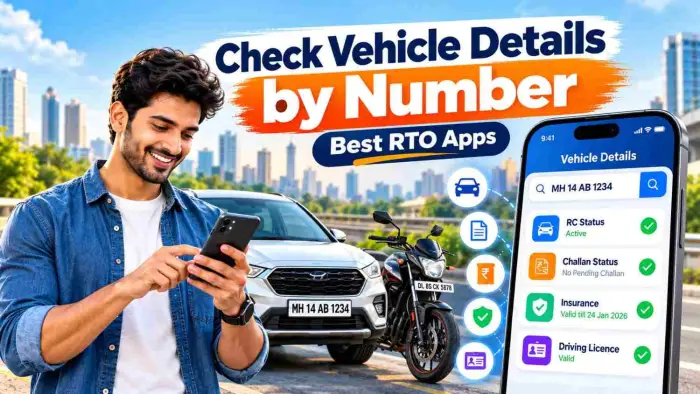
In this guide, we will discuss the best RTO apps, the information you can check using a vehicle registration number, how to check challan status, and what details you should verify before purchasing a used vehicle.
Best RTO Apps & Services at a Glance
| RTO App / Service | Main Purpose | Useful For |
|---|---|---|
| mParivahan | Vehicle & DL information | RC, DL, and vehicle records |
| VAHAN | Vehicle-related services | Registration and vehicle status |
| eChallan | Traffic challan information | Pending challan and payment status |
| DigiLocker | Digital documents | Digital RC and Driving Licence |
| State RTO Services | State-specific services | Tax, permit, and other RTO services |
1. mParivahan – Check Vehicle Details
mParivahan is one of the useful RTO-related services for checking vehicle and Driving Licence information. Users may be able to access available vehicle information by entering the vehicle registration number.
What Can You Check on mParivahan?
Vehicle registration information
RC-related details
Vehicle class
Registration validity
Insurance validity
Fitness validity
Permit information
Driving Licence information
Virtual RC
Virtual DL
Selected challan information
The information displayed may vary depending on the vehicle category, state, and available database records.
How to Check Vehicle Details by Number
Checking vehicle details using a registration number is generally simple.
Step 1: Open an RTO Service
Open mParivahan or another official transport service that provides vehicle-related information.
Step 2: Enter the Vehicle Number
Enter the registration number of your car, bike, or other vehicle.
Example:
WB01AB1234
or
MH01AB1234
Step 3: Complete Verification
Depending on the service, you may need to complete captcha, OTP, or login verification.
Step 4: View Vehicle Details
After verification, available vehicle information may appear on the screen.
Important information should always be cross-checked with the original RC and other vehicle documents.
2. VAHAN – Vehicle Registration Services
VAHAN is a useful digital platform for vehicle registration and transport-related services. Different services may be available depending on the state and vehicle category.
Vehicle owners may use VAHAN for registration-related applications, tax information, fitness certificates, permits, and other vehicle-related services.
When Is VAHAN Useful?
VAHAN can be helpful if you want to:
Check vehicle registration status
Access RC-related services
Check vehicle tax details
Check fitness certificate information
Use permit-related services
Access registration renewal information
Check vehicle application status
Available services may vary from one state to another.
3. eChallan – Check Vehicle Challan Status
Checking traffic challan status is important for vehicle owners. Using a vehicle number, users may be able to check pending challans or traffic fines.
Challan searches may be available through Vehicle Number, Challan Number, or Driving Licence Number.
How to Check Challan by Vehicle Number
Open the eChallan service.
Select the Vehicle Number option.
Enter the vehicle registration number.
Complete the required verification.
Check the challan details.
If a challan is pending, review the available payment option.
Save the receipt after successful payment.
Vehicle owners should also be careful about fake challan messages and unknown payment links.
4. DigiLocker – Digital RC and Driving Licence
DigiLocker is a convenient service for accessing digital documents. If supported records are available, vehicle owners may be able to access their digital RC and Driving Licence.
Keeping digital documents on a mobile phone can make document management more convenient while travelling.
Benefits of DigiLocker
Access digital RC
Access Driving Licence
Manage documents in one place
View documents on mobile
Reduce dependence on physical documents
Keep important records organized
For documents to appear correctly, the records must be properly linked with the relevant government database.
What Information Can Be Obtained From a Vehicle Registration Number?
Different types of vehicle information may be available depending on the service and database records.
| Vehicle Information | Availability |
|---|---|
| Registration Status | Usually available |
| Vehicle Class | Available in supported records |
| Fuel Type | May be available |
| Registration Validity | May be available |
| Insurance Validity | Available in supported records |
| PUC Status | Depends on database availability |
| Fitness Validity | For applicable vehicles |
| Permit Information | For commercial vehicles |
| Challan Status | Available in supported challan records |
| RC Details | Available in supported records |
Due to privacy and security rules, complete personal information about a vehicle owner may not be publicly available.
Why Check RTO Details Before Buying a Used Vehicle?
When purchasing a second-hand car or bike, checking only the physical condition of the vehicle is not enough. Vehicle documents and registration details should also be verified.
Checking vehicle registration information can help you understand the basic records associated with the vehicle.
Check These Details Before Buying a Used Vehicle
Whether the RC is valid
Whether the registration number matches the vehicle
Whether the insurance is active
Whether the PUC certificate is valid
Whether there are any pending challans
Whether the fitness certificate is valid, if applicable
Whether the permit is valid for a commercial vehicle
Whether the seller's documents match the vehicle records
Always verify the original documents before completing a vehicle purchase.
How to Check Vehicle Insurance Details
Vehicle insurance plays an important role in financial protection and legal compliance. For supported vehicle records, insurance validity and related basic information may be available.
You may be able to check:
Insurance validity date
Insurance status
Basic policy-related information
Vehicle registration details
If the insurance is close to expiry, comparing available renewal options may be useful.
Why Check PUC Status?
PUC stands for Pollution Under Control Certificate. It is related to vehicle emission standards.
Checking PUC information can help you determine whether the available record is active or whether the certificate needs to be renewed.
Having a valid PUC certificate is important for vehicle owners.
Check Driving Licence Information on Mobile
RTO apps and digital transport services are not only useful for vehicle information. They may also provide access to Driving Licence-related services.
Depending on the service, users may be able to:
Access Driving Licence information
Check licence validity
Access digital DL
Check licence application status
View renewal-related information
The process and available options may vary from one service to another.
Why Is It Important to Check Vehicle Challan?
Failing to check or pay a pending traffic challan may create inconvenience later.
By checking vehicle challan status, you may be able to:
View pending traffic fines
Check the challan date
Verify the fine amount
Check payment status
Pay supported challans online
Checking existing challans can also be useful before buying a used vehicle.
Which RTO App Is the Best?
No single RTO app is best for every requirement.
mParivahan can be useful for basic vehicle and Driving Licence information.
VAHAN can be useful for registration and other vehicle-related services.
eChallan can help users check traffic challans.
DigiLocker can be used to access and manage digital RC and Driving Licence documents.
You can choose the service according to your specific requirement.
Safety Tips While Using RTO Apps
Online safety is important when checking vehicle information.
Prefer Official Services
Use trusted and authorized services for vehicle, licence, and challan information.
Never Share OTP
Never share your OTP, password, UPI PIN, or banking information with unknown people.
Avoid Fake Challan Links
Do not click on unknown payment links received through SMS, WhatsApp, or email claiming to be related to traffic fines or official services.
Enter the Vehicle Number Correctly
If the registration number is entered incorrectly, it may result in wrong information or no record being found.
Save Payment Receipts
After making an online challan or vehicle-related payment, save the receipt or transaction reference for future use.
Frequently Asked Questions – FAQ
1. How can I check vehicle details by vehicle number?
You can enter the vehicle registration number on mParivahan or another supported vehicle information service to view available vehicle details.
2. Which is the best RTO app?
mParivahan is useful for vehicle and Driving Licence information. VAHAN, eChallan, and DigiLocker can also be used for different vehicle-related services.
3. Can I check challan details using a vehicle number?
Yes, if supported eChallan records are available, you may be able to check pending challans using the vehicle registration number.
4. Can I check insurance status through an RTO app?
Basic insurance information, including validity details, may be available in supported vehicle records.
5. Can I keep a digital RC on my phone?
Yes, eligible RC records may be available through DigiLocker and supported digital vehicle services.
6. Can I find the owner's full address using a vehicle number?
Complete personal details are generally restricted due to privacy and security rules.
7. What should I check before buying a used car?
Check the RC, insurance, PUC, registration details, pending challans, fitness certificate where applicable, permits, and the seller's original documents.
8. Is online challan payment safe?
Using a trusted and authorized challan payment platform is safer. Avoid making payments through unknown or suspicious links.
9. Can Driving Licence information be accessed on a phone?
Yes, Driving Licence-related information may be available through supported transport services and digital document platforms.
10. What is required to check vehicle information?
Usually, the vehicle registration number is required. Some services may also require OTP, captcha, or login verification.
Conclusion
Vehicle owners can use Check Vehicle Details by Number – Best RTO Apps services to access useful information related to registration, RC, insurance, PUC, challan, and Driving Licence from a mobile phone.
mParivahan is useful for vehicle and Driving Licence information, VAHAN for vehicle registration-related services, eChallan for checking traffic fines, and DigiLocker for accessing digital RC and Driving Licence documents.
Before purchasing a used vehicle, it is also helpful to check available RTO records, RC, insurance, PUC, and pending challans. Always use trusted services and never enter OTPs, banking information, or personal details on unknown websites or suspicious links.