Best Voice Typing Apps for Android – Speak and Type Faster
Typing long messages, emails, notes, and documents on a smartphone can take time. Voice typing apps make the process much easier by converting spoken words into text directly on your Android phone.
Whether you want to write WhatsApp messages faster, prepare notes, create documents, or transcribe meetings, there are several useful voice-to-text apps available for Android. Here are some of the best options to consider.
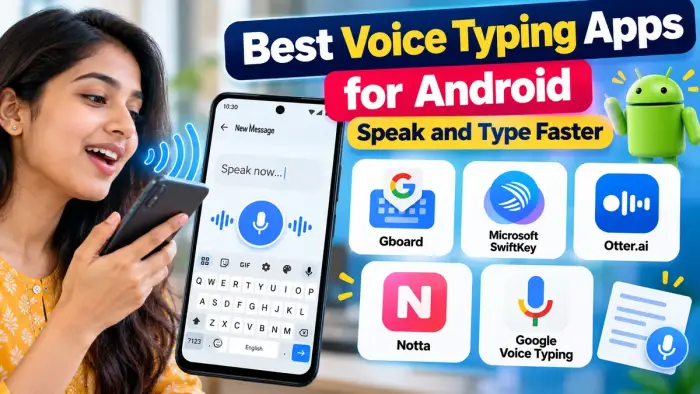
Best Voice Typing Apps for Android
| App | Best For | Main Feature |
|---|---|---|
| Gboard | Everyday voice typing | Speak directly inside most apps |
| Microsoft SwiftKey | Keyboard + voice input | Talk and type together |
| Otter.ai | Meetings and lectures | Live transcription |
| Notta | Audio-to-text conversion | Record and transcribe |
| Google Voice Typing | Simple speech-to-text | Built-in Android voice input |
1. Gboard
Gboard is one of the easiest voice typing options for Android users. You can use it in apps such as Gmail, Keep, Messages, social media apps, and many other places where a keyboard is available.
Simply tap the microphone icon and start speaking. Gboard converts your speech into text. It also supports spoken punctuation in supported languages.
On compatible Pixel devices, Gboard's advanced voice typing can automatically add punctuation, insert emojis, and respond to commands such as deleting text.
Best for: Messages, searches, emails and everyday typing.
2. Microsoft SwiftKey
Microsoft SwiftKey is another popular Android keyboard with built-in voice typing.
Its newer multimodal voice typing feature allows users to keep the keyboard visible while dictating, which means you can switch between speaking and normal typing without leaving the keyboard. Microsoft also allows users to switch back to Google's voice input method if preferred.
SwiftKey can be useful for users who want predictive typing and voice input together.
Best for: Users who frequently switch between typing and speaking.
3. Otter.ai
Otter.ai is designed more for transcription than regular keyboard typing.
The Android app can record conversations and automatically convert them into searchable text. It is particularly useful for meetings, lectures, interviews, discussions, and long spoken notes.
Users can also review, edit, search and share transcripts.
Best for: Meetings, students and professional notes.
4. Notta
Notta is another useful speech-to-text and transcription app.
It can record speech and convert it into text in real time. Users can also import audio or video files for transcription, edit the resulting text and share or export transcripts.
Notta currently supports transcription in dozens of languages, making it useful for multilingual users.
Best for: Longer recordings, interviews and multilingual transcription.
5. Google Voice Typing
Google Voice Typing is built into the Android ecosystem and may already be available on many phones.
It provides a simple way to dictate text without manually entering every word. In some keyboards, including SwiftKey, Google's voice input can also be used as the voice recognition method.
Best for: Users who want basic voice-to-text without complicated features.
Which Voice Typing App Should You Choose?
For regular Android typing, Gboard is one of the simplest choices because voice input works directly from the keyboard.
If you prefer extra keyboard customization, Microsoft SwiftKey is worth considering.
For meetings, classes and interviews, apps such as Otter.ai and Notta are more suitable because they are designed to handle longer recordings and transcripts.
Tips for Better Voice Typing
For more accurate speech-to-text results:
Speak clearly at a normal speed.
Use your phone in a quiet environment.
Keep the microphone close enough to capture your voice.
Select the correct language.
Review names and numbers after dictation.
Keep your voice typing app updated.
Frequently Asked Questions
Which is the best voice typing app for Android?
Gboard is a convenient option for everyday voice typing, while Otter.ai and Notta are better suited to longer transcription tasks.
Can I type WhatsApp messages using my voice?
Yes. If you use a keyboard such as Gboard, you can tap the microphone and dictate your WhatsApp message.
Is voice typing faster than normal typing?
It can be much faster for longer messages and notes because you speak instead of entering every word manually.
Does voice typing support different languages?
Yes, but supported languages and features vary between apps. Gboard, for example, supports voice input in many languages, although not every feature works with every language.
Can voice typing be used for meetings?
Yes. Apps such as Otter.ai and Notta are specifically useful for recording and transcribing longer conversations.
Conclusion
The best voice typing app depends on how you plan to use it. Gboard and SwiftKey are excellent choices for everyday messages and mobile typing, while Otter.ai and Notta are better suited for meetings, lectures and longer recordings.
By choosing the right voice typing app, Android users can reduce manual typing and create messages, notes and documents more efficiently.