Best Music Equalizer Apps – Improve Bass, Sound & Audio Quality
Good headphones or speakers can improve your listening experience, but the right equalizer app can help you fine-tune sound even further. Music equalizer apps let you adjust bass, vocals, treble, loudness, and different frequency levels according to your personal preference.
Many Android equalizer apps also include ready-made presets for pop, rock, classical, hip-hop, jazz, and other music styles. Here are some popular music equalizer apps you can consider for improving bass and overall audio quality.
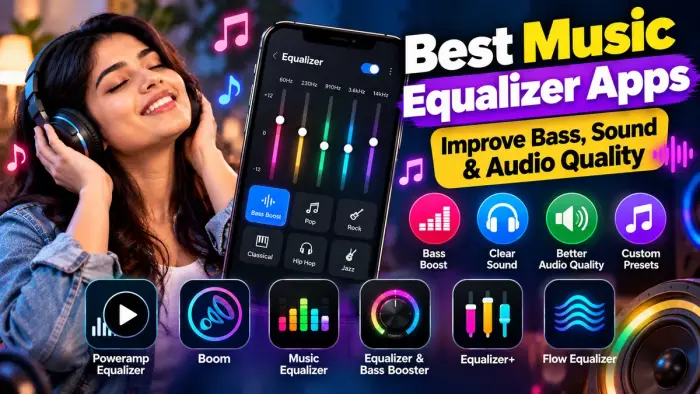
Best Music Equalizer Apps at a Glance
| Equalizer App | Bass Boost | Equalizer Bands | Presets | Extra Features |
|---|---|---|---|---|
| Poweramp Equalizer | Yes | Graphic & Parametric | Yes | Limiter, AutoEQ |
| Boom | Yes | 8/16 Band | Yes | 3D Surround |
| Music Equalizer | Yes | 5/10 Band | Yes | Virtualizer |
| Equalizer & Bass Booster | Yes | 5 Band | Yes | Surround Effect |
| Equalizer+ | Yes | 7 Band | Yes | Music Player |
| Flow Equalizer | Yes | Up to 12 Band | Yes | Limiter, Profiles |
1. Poweramp Equalizer
Poweramp Equalizer is a powerful option for users who want detailed control over their audio.
It offers both graphic and parametric equalizer modes, presets, per-app audio controls, volume adjustment, a limiter, and AutoEQ presets for supported headphones. It can also work with compatible streaming and local music players.
Key Features
Graphic and parametric equalizer
Bass and frequency adjustment
Limiter
Per-app controls
Headphone presets
Custom sound profiles
2. Boom: Bass Booster & Equalizer
Boom combines a music player with an advanced equalizer and bass booster.
It offers 3D surround sound along with 8-band and 16-band equalizer options. Users can choose built-in presets or create their own sound settings depending on the music genre and headphones they use.
Boom can be useful for listeners who want a wider and more immersive headphone experience.
3. Music Equalizer – Bass Booster
Music Equalizer by KUCO Apps provides bass boost, volume controls, stereo surround effects, and a virtualizer.
The app supports 5-band equalization, while some Android versions can use up to 10 bands. It also includes presets for styles such as classical, dance, hip-hop, jazz, pop, and rock.
This makes it a simple option for users who do not want to manually adjust every frequency.
4. Equalizer & Bass Booster
Equalizer & Bass Booster by Coocent is another popular Android option.
It includes a five-band equalizer, bass boost, virtualizer, media volume controls, and multiple equalizer presets. The developer says it works with many music players, video players, and FM radio apps.
It can be useful for users who want basic sound enhancement without complicated settings.
5. Equalizer+
Equalizer+ combines a music player, equalizer, and bass booster in one app.
It offers a seven-band equalizer along with multiple genre-based presets such as acoustic, classical, dance, hip-hop, jazz, pop, R&B, and rock.
Users who prefer having music playback and sound controls inside one application may find this convenient.
6. Flow Equalizer
Flow Equalizer offers more detailed sound adjustment with up to a 12-band equalizer.
It includes bass boost, volume boost, a 3D virtualizer, custom profiles, automatic preset application, and a limiter designed to help reduce clipping and distortion.
It can be a good option if you frequently switch between headphones, Bluetooth speakers, and your phone speaker.
What to Look for in an Equalizer App
Before choosing an equalizer app, check for:
Bass boost controls
Multiple equalizer bands
Custom presets
Headphone support
Bluetooth compatibility
Volume control
Virtualizer or surround effects
Limiter to reduce distortion
Support for your music player
Easy preset switching
Tips for Better Sound Quality
Increasing every frequency to maximum does not necessarily improve audio quality. Excessive bass or volume boosting can cause distortion and may also be uncomfortable for long listening sessions.
Start with a preset close to your preferred music style, then make small adjustments to bass, mids, and treble.
Frequently Asked Questions
Which equalizer app is best for bass?
Poweramp Equalizer, Boom, Flow Equalizer, and several bass-booster apps provide dedicated bass controls.
Can an equalizer improve headphone sound?
Yes. An equalizer can adjust frequencies to better match your headphones and personal listening preference.
Do equalizer apps work with Spotify or YouTube Music?
Some system-level equalizer apps can work with supported streaming services, although compatibility depends on the app, Android version, and device.
Is increasing bass safe?
Moderate bass adjustment is generally fine, but very high bass and volume levels can cause distortion and increase listening fatigue.
Can I create my own equalizer preset?
Yes. Many equalizer apps allow users to save custom sound profiles.
Conclusion
The best music equalizer app depends on how much control you want over your sound. Poweramp Equalizer is suitable for advanced adjustments, while Boom provides immersive surround effects. Music Equalizer and Equalizer & Bass Booster are simpler choices, while Flow Equalizer offers detailed frequency control and custom profiles.
Try different presets and make small adjustments to find the combination of bass, vocals, and treble that sounds best on your headphones or speakers.