Best Free Audio Player Apps – Play MP3 Songs on Mobile
If you already have MP3 songs saved on your smartphone, you do not always need a music streaming subscription to enjoy them. A good free audio player app can organize your local music library and let you play songs offline without using mobile data.
Modern audio player apps also offer features such as playlists, equalizers, folder browsing, lyrics, sleep timers, shuffle, repeat, and support for multiple audio formats. Here are some of the best free audio player apps worth considering for mobile users.
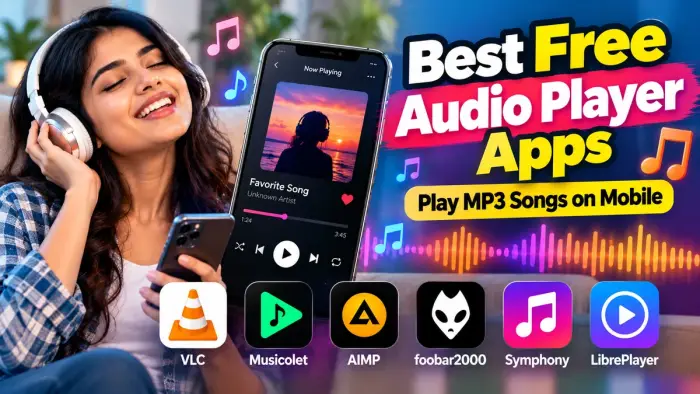
Best Free Audio Player Apps at a Glance
| Audio Player | Offline MP3 | Equalizer | Playlist | Other Formats |
|---|---|---|---|---|
| VLC for Android | Yes | Yes | Yes | Yes |
| Musicolet | Yes | Yes | Yes | Yes |
| AIMP | Yes | Yes | Yes | Yes |
| foobar2000 | Yes | Available features | Yes | Yes |
| Symphony | Yes | Basic playback | Yes | Yes |
| LibrePlayer | Yes | Varies | Yes | Yes |
1. VLC for Android
VLC is one of the most popular free media players for Android. Apart from video, it includes a complete music player, media library, search tools, equalizer, filters, and support for many audio formats.
You can use VLC to play MP3 files stored on your phone and organize your local music without depending on a streaming service.
Key Features
MP3 and multiple audio format support
Music library
Equalizer and filters
Search and playback history
Network streaming support
Audio and video playback
2. Musicolet
Musicolet is designed specifically for offline music stored on an Android phone. The developer says the app works without internet permission and includes multiple queues, playlists, lyrics support, an equalizer, folder browsing, widgets, and sleep timers.
This makes it a useful option for people who keep a large collection of downloaded MP3 songs.
3. AIMP
AIMP is another feature-rich audio player for Android. It supports MP3 along with formats such as FLAC, WAV, AAC, OGG, M4A, OPUS, and many others. It also includes playlists, folder-based playback, a 20-band equalizer, sleep timer, playback speed controls, and music-library organization.
AIMP can be a good choice if you want more control over sound and playlist management.
4. foobar2000
foobar2000 is a freeware audio player available on Android and other platforms. It supports mainstream audio formats, gapless playback, ReplayGain, tagging features, internet radio, and network audio functionality.
Its simple interface makes it useful for users who mainly want to manage and play their own music collection.
5. Symphony
Symphony is a lightweight Android music player focused on offline music. It is designed for songs stored locally on the phone and includes library organization and playlist-style playback.
It can be an option for users who prefer a clean interface without unnecessary streaming features.
6. LibrePlayer
LibrePlayer is a free, open-source Android music player built around local audio files. It supports songs, albums, artists, playlists, favorites, search, shuffle, repeat, background playback, and lock-screen controls.
For users who mainly want an offline and local-first music experience, LibrePlayer is worth considering.
Features to Check Before Choosing an Audio Player
Before installing a music player, check whether it provides:
MP3 playback
Offline music support
Folder browsing
Playlist creation
Equalizer controls
Lyrics support
Shuffle and repeat
Sleep timer
Background playback
Bluetooth and headset controls
Audio Player vs Music Streaming App
An audio player and a streaming app serve different purposes.
A streaming app lets you search and play music from an online catalog. An audio player is mainly designed to play files already saved on your mobile.
If you have a large MP3 collection, an offline audio player can help you save mobile data and organize your songs without depending on an internet connection.
Frequently Asked Questions
Which free app is best for playing MP3 songs?
VLC, Musicolet, AIMP, and foobar2000 are popular options for playing local MP3 files.
Can I play MP3 songs without internet?
Yes. If the MP3 files are already stored on your phone, an offline audio player can play them without an internet connection.
Which music player has an equalizer?
Apps such as VLC, Musicolet, and AIMP include equalizer-related audio controls.
Can I create playlists from downloaded songs?
Yes. Most local audio player apps allow you to organize saved songs into playlists.
Do audio player apps use mobile data?
Playing locally stored files normally does not require mobile data. Some optional online features, such as internet radio or album-art downloads, may require a connection.
Conclusion
The best free audio player app depends on how you store and listen to music. VLC is a versatile option for both audio and video, Musicolet focuses strongly on offline music, while AIMP offers advanced sound controls. foobar2000, Symphony, and LibrePlayer are also useful choices for managing local music libraries.
Choose an app based on audio-format support, equalizer options, playlist features, and how easily it organizes the MP3 songs stored on your mobile.