Is It Safe to Upload Your Face to AI Aging Apps? Privacy, Data & Photo Security Guide 2026
AI future-face and age-progression apps can transform an ordinary selfie into a version of you at 40, 60, 80, or even 100 years old. The results can be entertaining, realistic, and highly shareable.
But before uploading a personal photo, there is another question worth asking: what happens to your image after you send it to an AI service?
AI photo editors may use cloud processing, facial analysis, account information, and other technologies to create results. That does not automatically make an app unsafe, but users should understand the privacy settings, permissions, and data policies before uploading personal images.
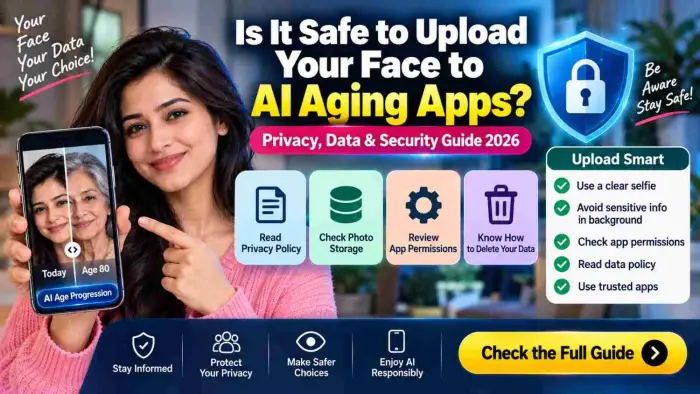
Here is what to check before using an AI aging or future-face tool in 2026.
Why Do AI Aging Apps Need Your Photo?
An age-progression app needs a clear image of your face so its AI system can identify facial characteristics.
Depending on the technology, the software may analyze features such as:
- Eyes and eyebrows
- Nose and lips
- Jawline
- Forehead
- Skin texture
- Hair
- Overall facial structure
The AI then uses this information to generate an older-looking version of the photograph.
Some processing may happen directly on your device, while other services may send images to cloud servers for processing.
Because every service works differently, it is important to check how the specific app handles uploaded photos.
What Should You Check Before Uploading a Photo?
| Privacy Check | What to Look For |
|---|---|
| Privacy Policy | How photos and account data are handled |
| Photo Storage | Whether uploaded images are retained |
| AI Training | Whether user content may help improve AI systems |
| App Permissions | Camera, photos, microphone, location, etc. |
| Data Deletion | Whether you can delete uploaded information |
| Account Security | Password, login, and security options |
Taking a minute to review these points can help you make a more informed decision.
1. Check Whether Your Photo Is Stored
One of the first things to investigate is whether the service keeps your uploaded photograph after processing.
Some AI tools may process an image temporarily, while others may retain certain content for longer periods depending on their policies and settings.
Look for sections such as:
Data Retention, Uploaded Content, User Photos, or How We Use Your Information.
If the policy is unclear, consider whether you are comfortable uploading the image.
For casual experiments, you can also choose a photo that does not contain private information in the background.
2. Understand AI Training Permissions
Generative AI platforms require large amounts of data to develop and improve their technology.
However, services can have different rules about whether user-uploaded content may be used for product improvement or AI development.
Before uploading your face, check whether the service provides information about:
- AI model improvement
- User-generated content
- Training data
- Opt-out settings
Do not assume every AI app follows the same rules.
3. Review App Permissions
A future-face application generally needs access to your camera or photo library if you want to upload a selfie.
But pay attention if an application requests permissions that appear unrelated to its main function.
Modern smartphones allow users to control many app permissions individually.
You may be able to grant access only to selected photos instead of your entire photo library.
After creating your image, you can also review permissions again from your phone's settings.
4. Avoid Sensitive Information in the Background
Sometimes the biggest privacy risk is not the face itself.
A photograph may accidentally include:
- Identity documents
- Vehicle registration numbers
- Bank or payment information
- Office documents
- Home addresses
- Computer screens
- Children's personal information
Before uploading a photo to any online AI service, look carefully at the entire image.
Cropping the photograph to include only your face can reduce unnecessary information being shared.
5. Use a Separate Photo for AI Experiments
You do not necessarily need to upload your highest-resolution personal photograph.
For a simple future-face experiment, a normal clear selfie may be enough.
Consider using an image specifically selected for AI editing rather than a photograph containing family members, private locations, or sensitive details.
A clean headshot with a simple background can also give the AI a clearer face to analyze.
Are Paid AI Apps Safer Than Free Apps?
Not necessarily.
A subscription price alone does not determine how well a company protects user data.
A paid service may offer additional security or privacy options, but users should still review its policies.
Similarly, a free app can have transparent data-handling practices.
Instead of judging an app only by price, look at factors such as:
- Company reputation
- Privacy documentation
- Security features
- User controls
- Data deletion options
- Permission requirements
What About Facial Recognition?
AI face editing and facial recognition are not exactly the same thing.
An AI aging tool may analyze facial landmarks to modify a photograph without necessarily identifying who the person is.
However, face-related data can still be sensitive.
That is why it is wise to understand how a service describes facial processing, biometric information, or image analysis in its privacy documentation.
Can You Delete Your AI Photos?
Some services provide options to remove account data, uploaded content, or generated images.
The exact process can vary.
Before creating an account, check whether the service provides:
- Delete photo
- Delete history
- Delete account
- Privacy request
- Data deletion request
If you stop using an AI application, reviewing and deleting unnecessary stored content can be a good privacy habit.
Tips for Safer AI Future-Face Experiments
Use a clear selfie with a simple background and avoid uploading anything containing sensitive personal information.
Read the privacy policy before granting unnecessary permissions.
Use strong, unique passwords for accounts that store personal photos.
If a service offers privacy controls or data-deletion settings, review them.
Most importantly, remember that a viral AI filter is still an online service. Treat photo uploads with the same care you would use when sharing personal information on any website or app.
Can You Use AI Aging Apps Without Worrying?
AI future-face apps can be fun when used thoughtfully.
There is no need to assume that every AI photo tool is dangerous, but there is also no reason to upload personal photos without checking how the service works.
A few minutes spent reviewing permissions and privacy information can make the experience much more comfortable.
Final Thoughts
AI can show an imaginative version of how you might look decades from now, but your privacy deserves attention before you press Upload.
Choose reputable services, review their policies, control app permissions, and avoid uploading sensitive information.
The best AI future-face experience is not simply the one that produces the most realistic photo—it is also one where you understand how your image is being handled.
Frequently Asked Questions
Is it safe to upload my face to an AI aging app?
It depends on the service. Review its privacy policy, permissions, photo-storage practices, and security options before uploading.
Do AI apps keep uploaded photos forever?
Policies vary between services. Check the specific platform's data-retention information.
Can an AI app use my photo for training?
Some services may have provisions related to product or AI improvement, while others may use different approaches. Check the current policy before uploading.
Should I allow an AI app access to my entire photo gallery?
If your device supports limited photo access, you can consider allowing access only to the image you want to edit.
What is the safest type of photo to upload?
A clear portrait with a simple background and no documents, addresses, screens, or other sensitive information visible is a better choice.